
Do you wince at the thought of the invoices that come along with ordering your company branded letterheads and other stationery?
What if we could show you a way to automatically add your letterhead to your documents as they are printed…
Many of the printer manufacturers offer a feature that allows you to create an ‘Overlay’ file that can added when required to any printed document. Printing them yourself means the cost savings can be considerable. Plus, you only ever print what you need so the environment will thank you too!
Here’s how to do it using a Develop or Konica Minolta printer:
Creating the Overlay
- Open the file which you wish to use as your letterhead.
- Click File > Print > Properties
- In [Overlay] in the [Stamp/Composition] tab, select [Create Host Image].
- Click OK, then Print.
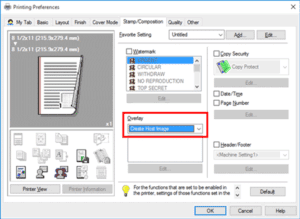
Instead of the document printing, you should see the [Create Overlay File] window appear.
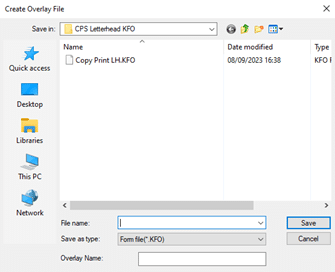
- Enter the file name and save the file.
Well done! You have now created your first overlay file which can be used as many times as you want.
If you want to create other overlays or want to update the one you made, just repeat steps 1-5. You can save as many overlays as you like.
Printing the Overlay onto a document:
- Open the document that you want to add your letterhead onto.
- Click File > Print > Properties
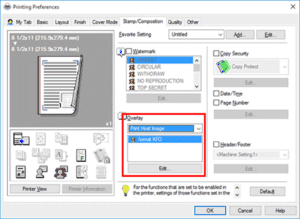
- In [Overlay] in the [Stamp/Composition] tab, select [Print Host Image].
- Choose the overlay which you saved previously.
- Click OK, then Print.
That’s it! Congratulations, you have just learned how to save yourself a (small) fortune on your office stationery.
BONUS TIPS
Here’s a few tips to get the best-looking letterheads from your own printer:
- Get some nice paper – good quality paper will make a big difference to the finished look of the letterhead.
- Choose a letterhead design that doesn’t run to the edge of the page – laser printers will always leave a small gap at the edge which could affect the design.
- Keep it simple – when it comes to office stationery, less is more. If you design your own letterhead choosing simple, clean lines and a limited colour palette works great.
If you have a printer or MFD from another manufacturer, check out this list for specific instructions:
